Shoppable Videos for Shopify: Placement Ideas That Actually Drive Clicks and Sales
As of July 2026, the strongest use of shoppable videos in Shopify stores is not “adding video everywhere.” It is placing the right video format where shoppers are deciding what to click next.
For DTC brands and ecommerce marketers, shoppable videos for Shopify work best when they reduce uncertainty, show product use in context, and make the next step obvious. That can mean a product page, homepage, collection page, or a post-purchase surface depending on the job the video needs to do.
If you want a practical setup path, start with Hyper Shoppable Videos and then map placements to the questions your shoppers ask at each stage.
Where should shoppable videos for Shopify go first?
Start with the pages that already have buying intent: product pages, collection pages, and the homepage. These placements give your video the best chance to influence the next click because shoppers are already browsing with purpose.
A simple rule works well:
- Product pages answer “Should I buy this item?”
- Collection pages answer “Which version should I open?”
- Homepage answers “What should I look at first?”
- Cart-adjacent placements answer “Am I ready to finish?”
If you are only launching one placement, product pages are usually the most practical starting point because they connect product proof to the add-to-cart decision.
Best placement options at a glance
| Placement | Main goal | Best video format | What it helps shoppers do |
|---|---|---|---|
| Product page | Reduce hesitation | Product demo, UGC, how-it-works | See fit, function, and use case |
| Collection page | Improve click-through | Short preview clips, carousel snippets | Choose the right product faster |
| Homepage | Guide discovery | Brand story, best-seller montage, category intro | Find a relevant category or product |
| Cart-adjacent / checkout-adjacent | Reinforce confidence | Quick reassurance clips, social proof-style content | Confirm the purchase decision |
| Shop app / social-style surfaces | Support discovery | Short vertical clips | Drive product discovery in a familiar format |
How do shoppable videos help on product pages?
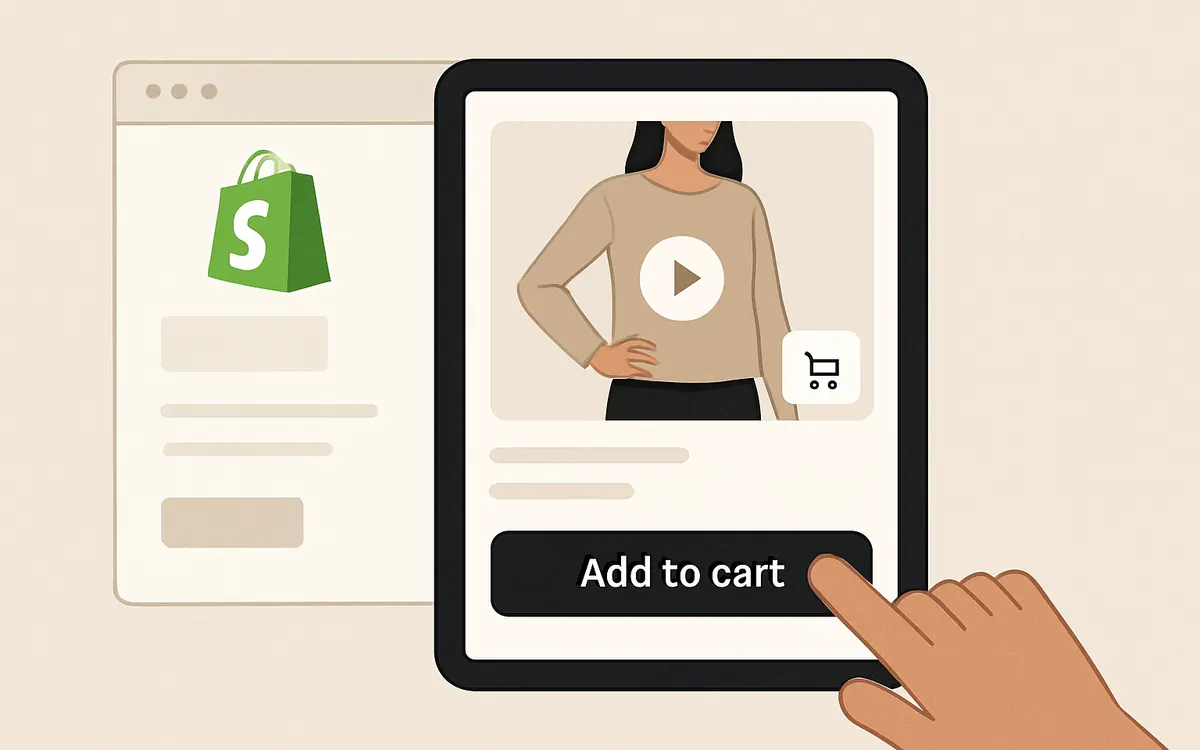
Product pages are the most valuable place for shoppable videos because they answer the last-mile questions that static images often miss. A good product-page video shows the product in use, highlights a key feature, and makes it easy to move to the next step.
Use product-page shoppable videos when shoppers need to understand:
- What the product looks like in real use
- How it fits, moves, or performs
- What is included
- Whether the product solves their specific problem
Keep the video close to the add-to-cart area or within the main media gallery so shoppers do not have to hunt for it. For apparel, beauty, home, and accessories, this placement often works because the buyer needs context before they commit.
What shoppable video format works best on collection pages?
Collection pages usually work best with short, browse-friendly videos that help shoppers narrow choices quickly. The goal is not to tell the full product story; it is to get the shopper to click into the right item.
Good collection-page formats include:
- Vertical clips or reels-style previews
- 5–15 second product highlights
- UGC snippets that show one clear use case
- Thumbnail videos that preview motion or texture
Collection-page video should be lightweight and easy to scan. If shoppers feel like they have to watch a full ad, the format is doing too much work for this stage.
Should shoppable videos be used on the homepage?
Yes, when the homepage needs to help shoppers understand what your brand sells and where to go next. Homepage shoppable videos are useful for discovery, especially for stores with multiple categories or a broad catalog.
Homepage video works best when it:
- Introduces a hero category or best seller
- Shows product benefits in a few seconds
- Routes shoppers into a collection or product page
- Matches the visual style of the store without slowing the page down
A homepage video should not try to close the sale by itself. Its job is to shorten the path from landing to relevant product discovery.
When does a social-style shoppable video feed make sense?
A social-style feed makes sense when your store has enough product content to support browsing and when your audience responds to UGC, creator clips, or repeat viewing. This format works well for shoppers who want to scroll through options instead of opening one PDP at a time.
It is especially useful when you want to:
- Repurpose short-form content from creators or in-house shoots
- Show multiple products in a familiar, swipeable format
- Give shoppers a reason to stay longer on-site
- Support discovery for categories with many variants or styles
This format can live on a homepage, a landing page, or within a product discovery path. For a Shopify-specific implementation path, see Hyper Shoppable Videos.
How do you choose the right placement for your store?
Choose the placement based on the shopper question you want to answer, not just the content you already have.
Use this framework:
- If shoppers need trust, start on product pages
- If shoppers need orientation, start on the homepage
- If shoppers need comparison help, start on collection pages
- If shoppers need final reassurance, test cart-adjacent placement
If your catalog is small, focus on deeper product-page content. If your catalog is broad, add collection-page or homepage video to guide discovery earlier.
What should a shoppable video include to support clicks and sales?
A useful shoppable video is short, clear, and connected to a product action. It should show the product in context and make it easy to understand what happens next.
Strong shoppable video elements include:
- A clear first second that shows the product or outcome
- One product message per clip
- Visible product tagging or clickable hotspots where appropriate
- A direct route to product detail pages or add-to-cart actions
- Mobile-friendly framing and readable overlays
Avoid crowded edits, unclear text, and videos that require sound to make sense. Many shoppers browse with sound off, especially on mobile.
How do shoppable videos fit into Shopify SEO and GEO?
Shoppable videos support SEO and GEO when they make the page more useful to shoppers and easier for search systems to understand. The content around the video still matters: descriptive headings, concise copy, and clear product context help both users and search engines.
For GEO-friendly content, answer the shopper’s likely question directly near the placement:
- What is this product?
- Why should I click it?
- What problem does it solve?
- What should I do next?
For SEO, keep supporting copy specific and practical. A page about shoppable videos for Shopify should explain use cases, placement ideas, and implementation choices rather than repeating broad marketing language.
What is a simple rollout plan for Shopify merchants?
A simple rollout plan is to launch one placement, measure shopper interaction, then expand.
- Start with one high-intent page, usually a product page
- Use one clear video goal, such as reducing hesitation or increasing exploration
- Add a second placement only after the first one has a defined role
- Review whether the video helps shoppers click deeper into the catalog
- Adjust placement and format before adding more content volume
This approach keeps shoppable video from becoming decorative. Each placement should have a job.
FAQ
Do shoppable videos work better on product pages or homepage?
Product pages usually have stronger purchase intent, so they are often the best first test. Homepage video is more useful for discovery and routing shoppers to the right category.
Are shoppable videos useful for small Shopify catalogs?
Yes. Small catalogs can use shoppable videos to show product use, explain differences, and build trust faster than static images alone.
What kind of content should I turn into shoppable video?
Product demos, UGC, creator clips, fit-and-feel shots, and short benefit-led videos are common starting points. The best choice depends on what shoppers need to see before clicking.
Can shoppable videos help collection pages?
Yes. Collection pages benefit from short previews that help shoppers pick the right item without opening every product detail page.
Should shoppable videos autoplay?
Autoplay can help visibility, but it should be balanced with page speed, mobile usability, and shopper control. Test what fits your theme and audience.
Related resources
Bottom line
Shoppable videos for Shopify are most effective when they match page intent. Use them to answer the shopper’s next question, not to add motion for its own sake. Product pages help close uncertainty, collection pages help narrow choices, and homepage video helps guide discovery.
If you want a Shopify-ready starting point, review Hyper Shoppable Videos and choose one placement to test first.