

Tracking dashboard
View conversion metrics, pixel events, and event summaries from the WinAds Home dashboard.
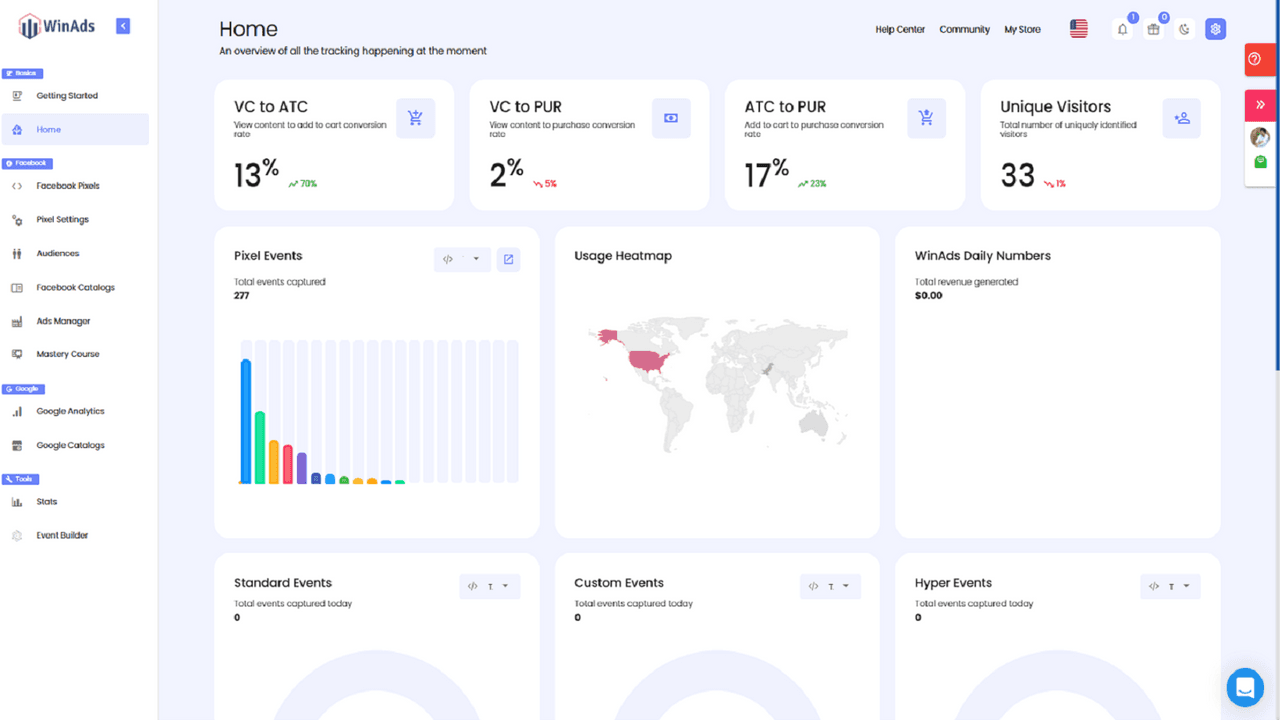
Tracking dashboard
View conversion metrics, pixel events, and event summaries from the WinAds Home dashboard.
 WinAds for Shopify
WinAds brings supported Facebook, Instagram, TikTok, Snapchat, and Google pixels together with catalog, audience, ecommerce-tracking, and reporting workflows.
22 reviews · 100% five-star
 WinAds: Facebook Pixels
As seen on


Facebook, Instagram, TikTok, Snapchat, and Google are named on the listing.
Every listed paid plan includes a 10-day free trial.
Based on 22 reviews checked on September 3, 2026.
Explore the dashboard, setup flow, pixel settings, and audience tools inside WinAds.
View conversion metrics, pixel events, and event summaries from the WinAds Home dashboard.
Tracking dashboard
View conversion metrics, pixel events, and event summaries from the WinAds Home dashboard.
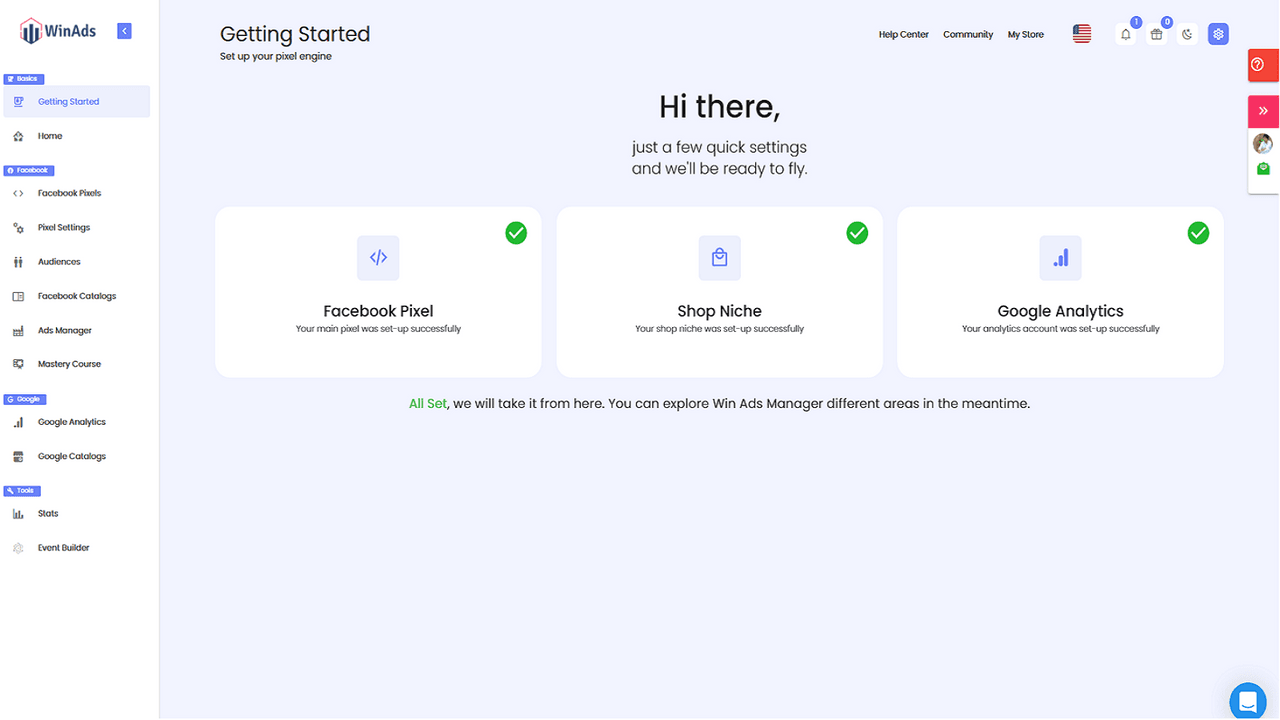
Check setup status for your Facebook pixel, shop niche, and Google Analytics connection.
Getting started
Check setup status for your Facebook pixel, shop niche, and Google Analytics connection.
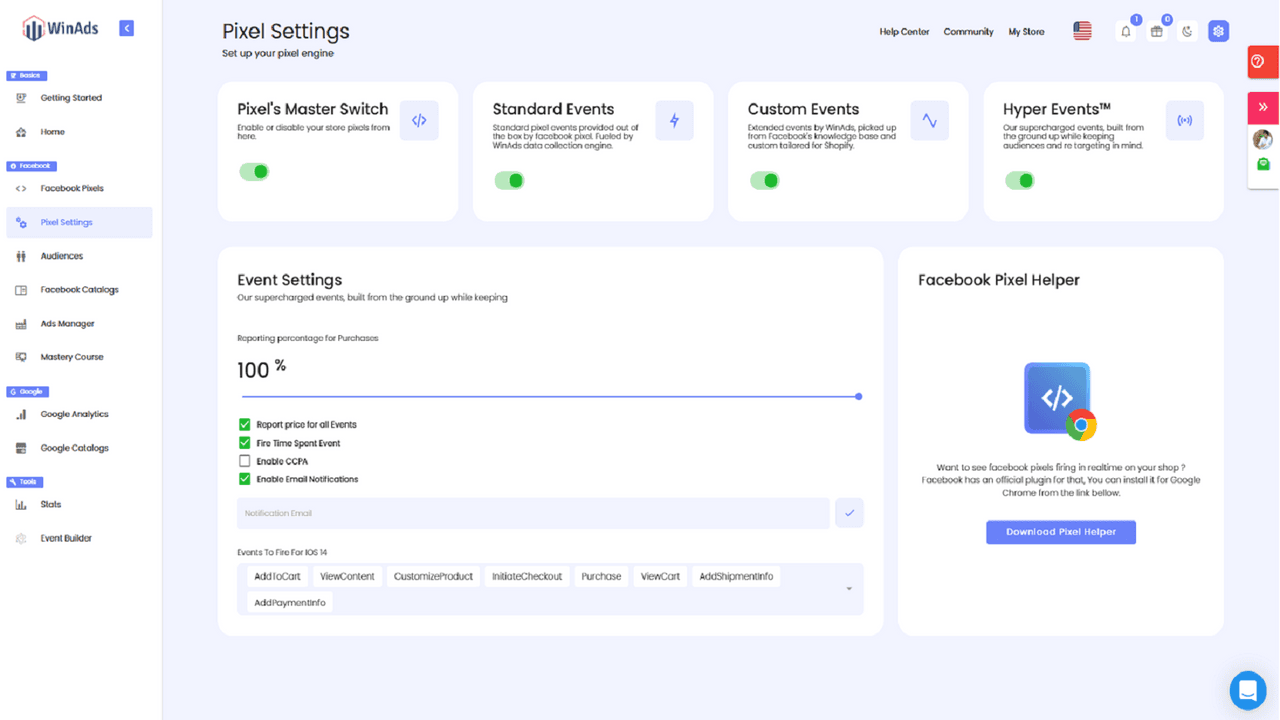
Manage event switches and reporting settings from the pixel engine screen.
Pixel settings
Manage event switches and reporting settings from the pixel engine screen.
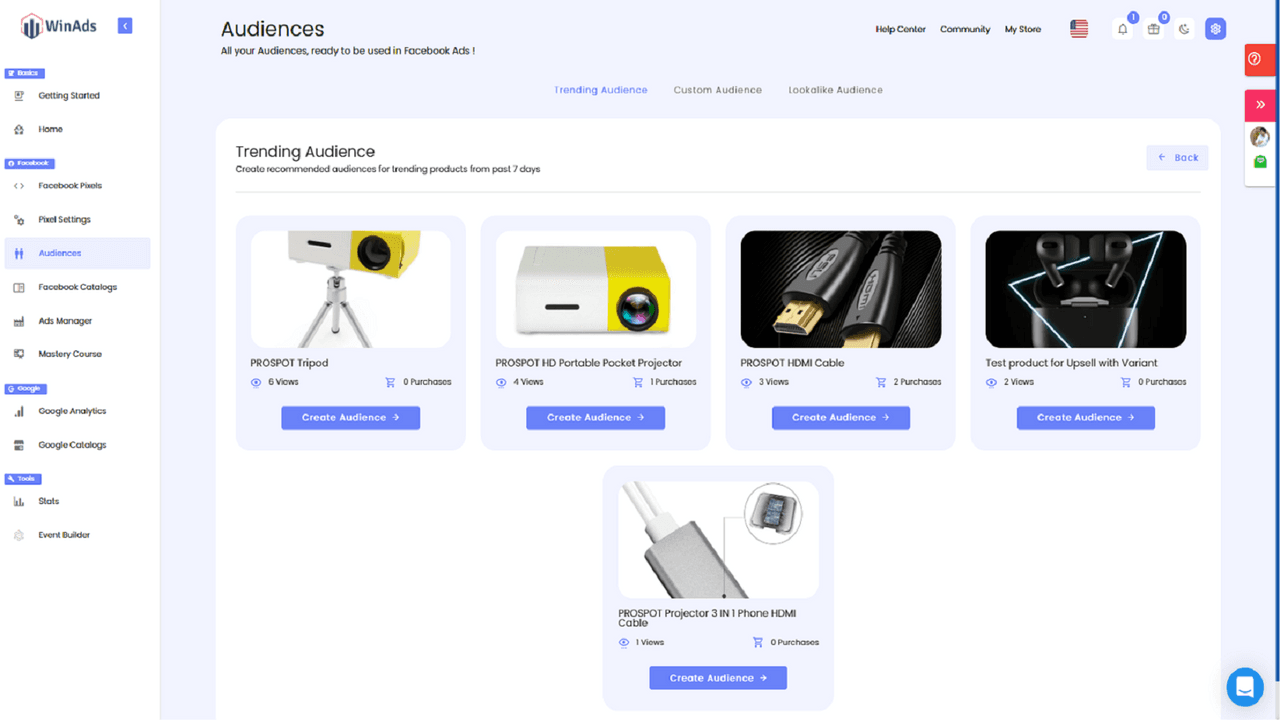
Explore trending product audiences and access custom and lookalike audience tools.
Audience tools
Explore trending product audiences and access custom and lookalike audience tools.
Manage supported Facebook, Instagram, TikTok, Snapchat, and Google pixel connections from one Shopify workflow.
Use the listing's ecommerce-specific pixel events and validate delivery where the data is used.
Create custom and lookalike audiences with the available audience tools.
Manage supported catalogs and confirm their mapping and eligibility before campaigns run.
Follow these five stages in order, then verify each connection in the platform that receives the data before launching campaigns.
Start the 10-day trial from Shopify, then select the plan whose connection and audience requirements fit the store.
Add the supported advertising accounts and pixel connections permitted by the selected plan.
Set up the available ecommerce-specific event workflow, then confirm the events in the destination platform.
Use the available audience-builder and catalog tools where they are included with the plan.
Test live delivery, catalog eligibility, attribution, and consent settings in every advertising destination before launching campaigns.
It is a paid-social tracking and campaign-data workflow, rather than a storefront search, customer-support, or shoppable-video app. Match the plan to your actual connections, catalogs, and audience workflow.
Pricing is based on the Shopify App Store listing verified on 2026-09-02; the listing is the source of truth for current billing information.
| Plan detail | Essential | Pro | Enterprise+ |
|---|---|---|---|
| Monthly price | $19.99 | $39.99 | $139.99 |
| Trial | 10 days | 10 days | 10 days |
| Facebook pixels | 5 | 20 | Pro pixel features; count not stated |
| 5 accounts | Basic Google Analytics | Pro Google Analytics | |
| Audience tools | Not listed | Audience builder | Pro audience builder |
| Catalog tools | Snapchat catalog | Pro product catalogs | Pro product catalogs and Snapchat catalogs |
| Support | Standard support | Not specified | Dedicated pixel representative |
01
$19.99/month
10-day free trial
Limited Facebook, Google, and Snapchat connections.
02
$39.99/month
10-day free trial
More pixels, audience tools, and catalog controls.
03
$139.99/month
10-day free trial
Advanced pixel, audience, catalog, analytics, and support features.
These are unedited excerpts from merchants who reviewed WinAds on Shopify. The latest listing snapshot was checked on September 3, 2026.
marieoriginals.com
United States
“I used this app in order to have 2 pixels connected to my Shopify store. Easy to setup, easy to use.”
Deeds.pk
Pakistan
“This app really works . I am using it for last two months with amazing results!!! win ads just wins the trust :)”
Paint Scape Paints
South Africa
“Using this app to help Facebook ads makes life much easier especially for a newby like me when it comes to setting up”
Decision support
Compare the listing with your actual pixel count, platform requirements, consent process, and campaign workflow.
The Shopify App Store listing names Facebook, Google, Instagram, Snapchat, and TikTok.
The listing shows 5 Facebook pixels, 5 Google accounts, 5 Snapchat pixels, a Snapchat catalog, and standard customer support for $19.99 per month.
Pro is listed at $39.99 per month and adds 20 Facebook pixels, an audience builder, pro product catalogs, basic Google Analytics, 20 Snapchat pixels, and a Snapchat catalog.
Enterprise+ is listed at $139.99 per month with pro pixel, audience, catalog, and Google Analytics features, Snapchat tools, and a dedicated pixel representative.
No free plan is listed. Essential, Pro, and Enterprise+ each include a 10-day free trial.
Yes. The listing names custom and lookalike audience creation, while the Pro and Enterprise+ plan descriptions include audience-builder features.
The listing describes catalog workflows, dashboards, custom reports, historical analysis, and marketing metrics such as ROAS and purchase tracking. Availability can vary by plan.
The listing does not state that standard setup requires coding. Check the current Shopify install flow, required permissions, and your platform configuration before installing.
Confirm pixels, events, catalog status, audiences, consent, and attribution settings in the advertising platform before relying on campaign reporting.
Start a 10-day trial, then validate every connected pixel, event, catalog, and audience in the advertising platform where it will be used.
Start 10-Day Trial