
Hyper Apps by NiagaraT
AI Apps That Help Shopify Stores Convert More Shoppers
Help shoppers find the right products, get instant answers, and purchase directly from engaging product videos. Hyper Apps gives Shopify merchants AI-powered search, customer support, and shoppable video tools in one conversion-focused suite.
Built for Shopify merchants who want better product discovery, faster customer support, and more engaging shopping experiences.
- 4 Shopify apps
- No Liquid code changes
- Online Store 2.0 ready
Four apps. One Shopify store.
Search, support, video, and ad tracking — each app solves a different customer-experience problem.
Match Each Customer Problem to the Right Shopify AI App
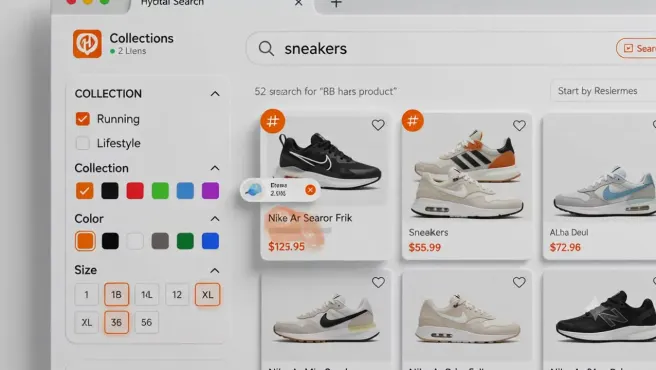
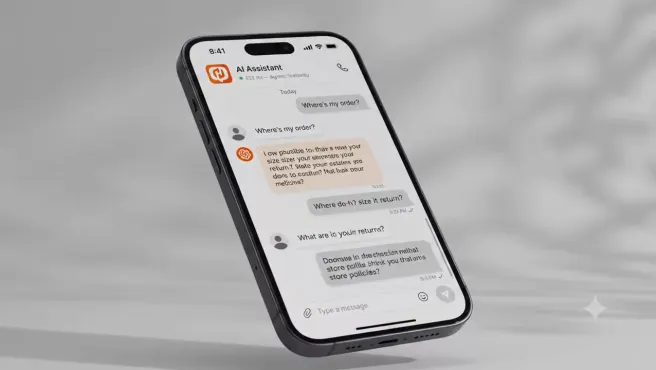
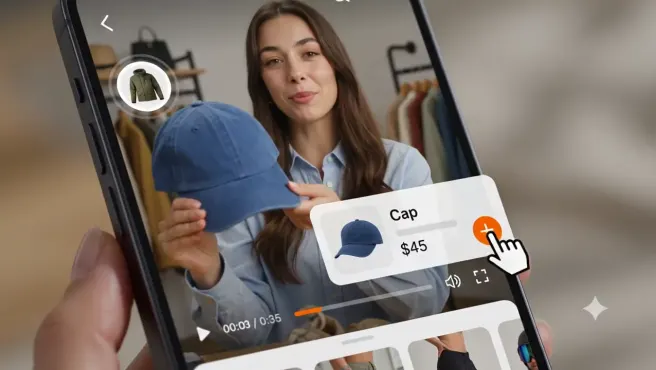
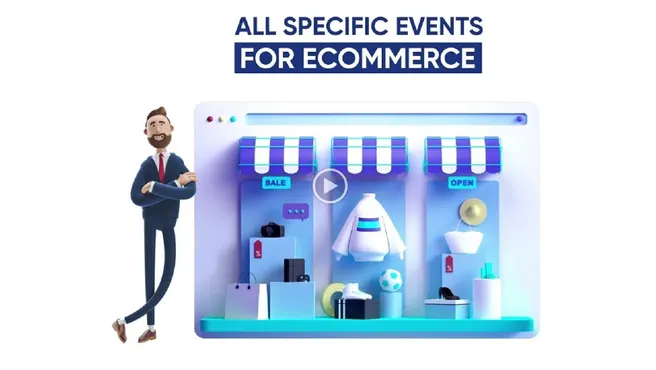
Pick the app that matches your biggest store leak first — or combine them for a fuller journey. Each card shows the problem, the workflow, and the result you can expect.




Decide Which Hyper App to Install First
Use this table to match your first install to the customer problem you want to solve now.
| Decision point | Hyper Search & Product Filters | Hyper AI Chat & FAQs | Hyper Shoppable Videos | WinAds: Facebook Pixels |
|---|---|---|---|---|
| Main use case | Storefront search, collection filters, merchandising, and product discovery. | AI chatbot answers and searchable FAQs for customer questions. | Product-tagged videos and shoppable storefront video widgets. | Multi-platform pixels, ecommerce events, audiences, product catalogs, dashboards, and reports. |
| Best-fit merchant | Stores with growing catalogs, many product attributes, or hard-to-find products. | Stores that answer repeated product, shipping, returns, sizing, or policy questions. | Stores with demos, social clips, tutorials, styling content, or UGC-style product videos. | Merchants and marketing teams that run paid social campaigns across supported platforms. |
| Primary customer problem | The shopper cannot find the right item or receives weak search results. | The shopper has a purchase question and does not get an answer fast enough. | The shopper watches content but does not have a clear next step to the product. | Pixel, catalog, and audience workflows are fragmented across ad platforms. |
| Key capabilities | Search suggestions, filters, synonyms, typo tolerance, merchandising rules, and analytics. | AI chat, searchable FAQs, approved store content, chat history, branding, and analytics. | Product tags, shoppable widgets, social-style content, add-to-cart paths where supported, and analytics. | Supported pixels, ecommerce events, custom audiences, product catalogs, dashboards, and reports. |
| Setup requirements | Install the Shopify app, enable the app embed, and configure search and filters. | Install the Shopify app, add approved content, and configure chat and FAQ settings. | Install the Shopify app, upload or import videos, tag products, and place widgets. | Install, connect supported accounts and pixels, configure workflows, and validate each destination. |
| Shopify compatibility | The product page confirms Online Store 2.0 theme support and no-code app embed setup. | Built for Shopify stores; theme-specific setup should be checked on the product page or with support. | Built for Shopify storefronts; widget placement depends on the selected plan and store setup. | Install through Shopify, then connect and validate each supported advertising destination. |
| Pricing or free-plan availability | Free, Starter, Professional, and Enterprise plans are listed on the product page. | Check the product page for current plan and pricing details. | A free plan and paid tiers are listed on the product page. | Paid plans with a 10-day free trial are listed on the product page. |
| Primary metric to track | Search usage, zero-result searches, filter use, and product clicks from search. | Answered questions, FAQ usage, repeated topics, and support conversations avoided. | Video engagement, product interactions, add-to-cart paths where supported, and product clicks. | Validated ecommerce events, catalog readiness, audience setup, and campaign reporting. |
| Product-page CTA | See search app pricing and install options | See AI chatbot pricing and install options | See shoppable video pricing and install options | See WinAds plan and trial details |
Built for Real Shopify Stores
What to expect when installing Hyper Apps: theme support, setup steps, and when you'll need developer help.
Shopify apps in the suite
Search and filters, AI chat and FAQs, shoppable videos, and ad tracking.
Products supported
Hyper Search & Product Filters on the Enterprise plan.
Liquid code changes
Standard setup uses Shopify app embeds and storefront widgets.
Online Store theme support
Hyper Search & Product Filters supports Online Store 2.0 themes.
- Theme compatibility
- Hyper Search & Product Filters supports Shopify Online Store 2.0 themes. Placement for the chat and video widgets varies by theme, and support can confirm it for yours.
- Installation requirements
- Each app is installed through Shopify. Standard setup uses app embeds or storefront widgets, then merchant-controlled settings inside the app.
- Coding required
- Standard installation requires no Liquid code changes. Custom themes or unusual layouts are worth checking with support before launch.
- Catalog-size suitability
- Hyper Search & Product Filters handles catalogs up to 200,000 products on the Enterprise plan. Plan limits for chat and video are listed on their product pages.
- Merchant support
- Support is available through Hyper Apps by NiagaraT at support@niagarat.com and through the contact page.
- Setup time and integrations
- Setup time depends on catalog size, content readiness, theme setup, advertising-platform validation, and how many widgets or rules you configure. All four apps integrate with Shopify.
Review the Shopify search app details, AI chatbot app details, and shoppable video app details, or book a demo for store-specific guidance.
Turn More Store Visits Into Buying Journeys
Each Hyper app handles a different part of the shopper's journey — from search to purchase. Use one app or combine them for a complete customer experience.
- A shopper searches for a product
- The shopper proceeds to purchase
Questions Shopify Merchants Ask Before Installing
Answers are cautious where plan, theme, or setup details can change.
Which Hyper app should I install first?
Start with the app that matches your biggest leak. Choose Hyper Search & Product Filters if shoppers struggle to find products, Hyper AI Chat & FAQs if questions block purchases, Hyper Shoppable Videos if product content gets attention but does not move shoppers to products, or WinAds: Facebook Pixels if paid-social pixels, catalogs, and audiences are fragmented across platforms.
Can I use the NiagaraT Shopify apps together?
Yes. The apps solve different parts of the buying journey and operating workflow. You can use one independently or combine search, chat, video, and ad-tracking tools when your store needs them.
Do the apps work with Shopify Online Store 2.0 themes?
Hyper Search & Product Filters supports Shopify Online Store 2.0 themes. Chat and video placements vary by theme, so support can confirm the details for yours.
Is coding required?
No. Standard setup uses Shopify app embeds and requires no Liquid code changes. Custom themes or custom placements may need a review from support.
Will the apps slow down my Shopify store?
The search widget loads asynchronously, so it does not block the rest of your storefront. For chat and video, performance depends on placement, media size, and store setup, so test on your live theme.
Is there a free plan?
Hyper Search & Product Filters and Hyper Shoppable Videos both offer free plans. Current pricing for Hyper AI Chat & FAQs is on its product page, while WinAds lists paid plans with a 10-day free trial.
How long does setup take?
Setup depends on your store. Search setup depends on catalog size and filter rules. Chat setup depends on your approved content. Video setup depends on how many videos you upload, tag, and place.
What support is available?
You can contact Hyper Apps by NiagaraT through the contact page or email support@niagarat.com. Product pages also list plan-specific support details where available.
Can the AI chatbot use my store policies and product information?
Yes. The AI chatbot product page says the app can use store content such as FAQs, product information, policies, and support guidance when that content is approved and available.
Can shoppable videos link directly to product pages?
Hyper Shoppable Videos supports product-tagged videos so shoppers can explore featured products. Add-to-cart paths and placements depend on the selected plan and widget setup.
Need store-specific help? Contact Hyper Apps by NiagaraT support.
Start With the Biggest Conversion Leak in Your Store
Choose the Hyper app that solves your most urgent customer-experience problem, or book a demo to find the best starting point.
Learn more about Hyper Apps by NiagaraT, browse Shopify ecommerce resources, read the Shopify conversion guide, or compare options in the Shopify app comparisons.