
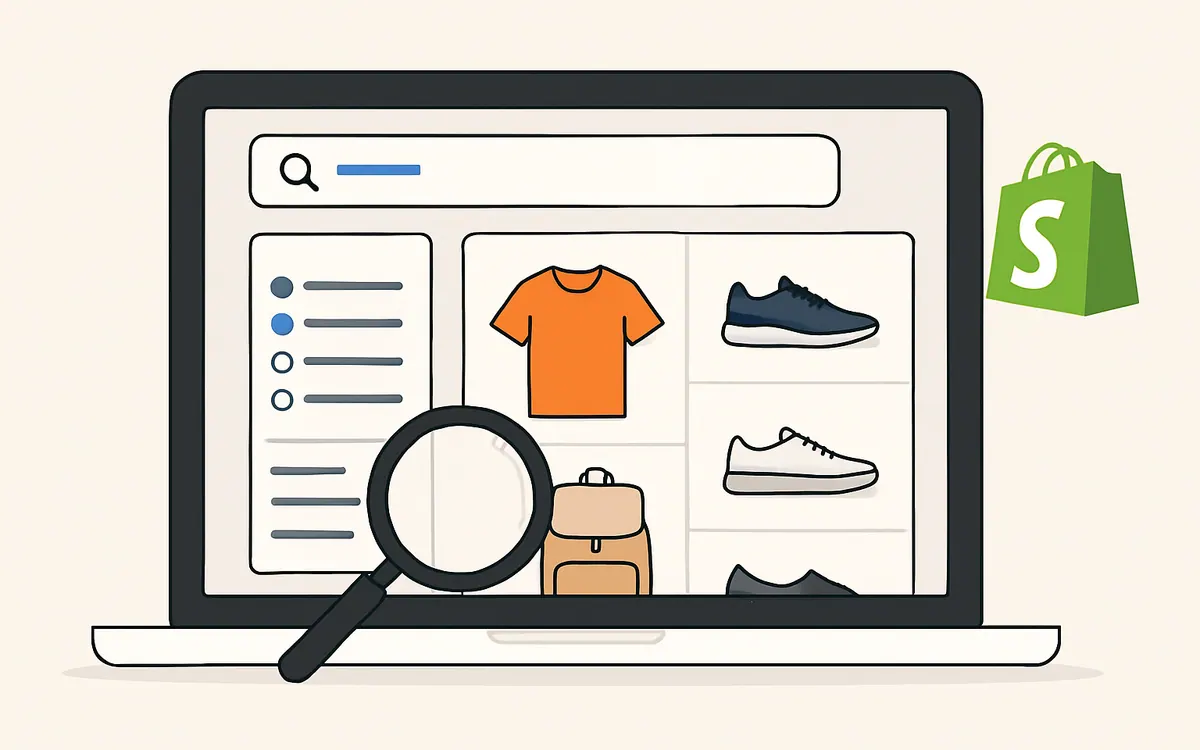
As of July 2026, the best Shopify search app is the one that helps shoppers find products quickly, handles misspellings and synonyms, supports useful filters, and gives merchants control over merchandising without adding friction to the storefront.
If you are comparing options, start with the customer experience first, then check how much control you get over ranking, filtering, and analytics. For teams that want a Shopify-native option, review our Hyper Search & Filter app alongside your current setup.
What makes a Shopify search app worth using?
A strong Shopify search app should help customers find the right product faster than browsing collections alone. The core job is simple: reduce dead ends and make relevant products easier to discover.
Look for these basics:
- Fast search results that update as shoppers type
- Support for synonyms, misspellings, and partial matches
- Product filters that match your catalog structure
- Clear control over sort order and boosted products
- Mobile-friendly search and filter UX
- Analytics that show what shoppers search for and where searches fail
If a search app improves discovery but makes filtering harder, it may create more work for your team and more friction for your customers.
Which search features matter most for Shopify stores?
The most useful search features are the ones that match how your catalog is organized and how customers actually shop.
Common features to prioritize include:
- Predictive search suggestions
- Search synonyms and typo tolerance
- Collection and product filtering
- Merchandising rules and boosts
- Search analytics and zero-result reporting
- Search results pages that stay consistent with your theme
Here is a simple way to evaluate feature fit:
| Feature | Why it matters | When it is most useful |
|---|---|---|
| Predictive search | Helps shoppers find products faster | Stores with broad catalogs or repeat buyers |
| Synonyms and typo tolerance | Reduces failed searches | Stores with branded terms or common misspellings |
| Faceted filters | Narrows results by attributes | Apparel, beauty, home, parts, and multi-variant catalogs |
| Merchandising controls | Lets you promote priority items | Stores running seasonal campaigns or launches |
| Analytics | Reveals what search is missing | Stores improving discovery over time |
The best Shopify search app is usually the one that fits your catalog complexity, not the one with the longest feature list.
Do free Shopify search apps cover enough for most stores?
Free apps can be enough for simple catalogs, but they often become limited once your store needs deeper filtering, merchandising, or better search relevance control.
A free search app may work well if:
- Your catalog is small
- Product attributes are simple
- You do not need advanced merchandising
- Your current theme already supports basic discovery well
A paid or more advanced app may be worth considering if:
- Customers search often instead of browsing collections
- You sell products with many variants or attributes
- You want more control over ranking and promotion
- Your team needs search analytics to improve merchandising
The right choice depends on operational needs, not just price. If you are evaluating options, look at how much manual work the app removes from your team.
How should Shopify merchants evaluate search and filter apps?
A good evaluation process starts with your storefront behavior, then checks whether the app can support it.
Use this checklist:
- Test common shopper queries from your own store
- Check whether synonyms and typos return useful results
- Try filtering on mobile, not just desktop
- Review how easy it is to promote featured products
- Confirm the app works with your theme and collection structure
- Make sure search results remain fast on product-heavy pages
For a broader view of app selection, you can also review our Shopify app selection resources.
When is Shopify Search & Discovery enough, and when is it not?
Shopify Search & Discovery can be a practical starting point for stores that want to improve basic storefront search and filters without adding much complexity.
It may be enough when:
- You want a native Shopify experience
- Your store needs basic search and filtering improvements
- Your catalog is manageable
- You prefer a simpler setup process
It may not be enough when:
- Your search needs are highly catalog-specific
- You need more advanced merchandising controls
- You want deeper visibility into search behavior
- You have a complex product structure that needs more flexible filtering logic
The right answer depends on how much control your team needs over discovery, not on a blanket recommendation.
How does Hyper Search & Filter help Shopify merchants?
Hyper Search & Filter is built for merchants who want a practical way to improve search relevance, filtering, and product discovery without forcing shoppers through extra clicks.
Use it to:
- Make product discovery easier on desktop and mobile
- Present useful filters that match your catalog
- Help shoppers reach relevant products faster
- Support merchandising decisions with a more controlled search experience
If your current search setup creates too many zero-result searches or makes filtering feel clunky, Hyper Search & Filter is worth reviewing as part of your app shortlist.
What should you prioritize before installing a search app?
Before you install any app, define the problems you want to solve.
Start with these questions:
- What do shoppers search for most often?
- Which searches return poor or zero results?
- Which product attributes matter most for filtering?
- Do you need merchandising controls, or just better search basics?
- Is mobile search a priority for your traffic?
This makes comparison easier and helps you avoid paying for features your store will not use.
FAQ
What is the best Shopify search app for most stores?
The best Shopify search app is the one that matches your catalog, storefront design, and merchandising needs. For simple stores, a native or lightweight app may be enough. For larger or more complex catalogs, look for stronger filtering, relevance controls, and analytics.
Is a Shopify search app better than collection browsing?
They serve different jobs. Collection browsing works well when shoppers know your categories. Search becomes more important when shoppers know what they want and need to find it quickly.
What features should I compare first?
Start with predictive search, typo handling, synonyms, filters, merchandising controls, and analytics. These features usually have the biggest impact on shopper experience.
Do I need an advanced search app for a small store?
Not always. Small stores can often start with simpler tools. Consider upgrading when search becomes a meaningful traffic source or when product discovery starts requiring more control.
Can search apps help with conversion?
They can help by reducing friction in product discovery. Better search and filters can make it easier for shoppers to find relevant products, but results depend on catalog quality, merchandising, and overall storefront experience.
Where should I start if I want to compare options?
Begin with your actual shopper queries and filter needs, then compare apps against those use cases. If you want a Shopify-native starting point, explore Hyper Search & Filter.


