
Key takeaways
- Related-product placements work best when shoppers already understand the product and need help choosing an alternative, accessory, or compatible item.
- Shoppable video is more useful when seeing fit, scale, texture, motion, assembly, or a before-and-after demonstration reduces purchase uncertainty.
- Catalog breadth changes the decision: recommendation blocks can expose nearby options across a large assortment, while video should concentrate attention on products worth demonstrating.
- Placement matters as much as format because homepage discovery, collection browsing, product evaluation, and cart expansion represent different shopper jobs.
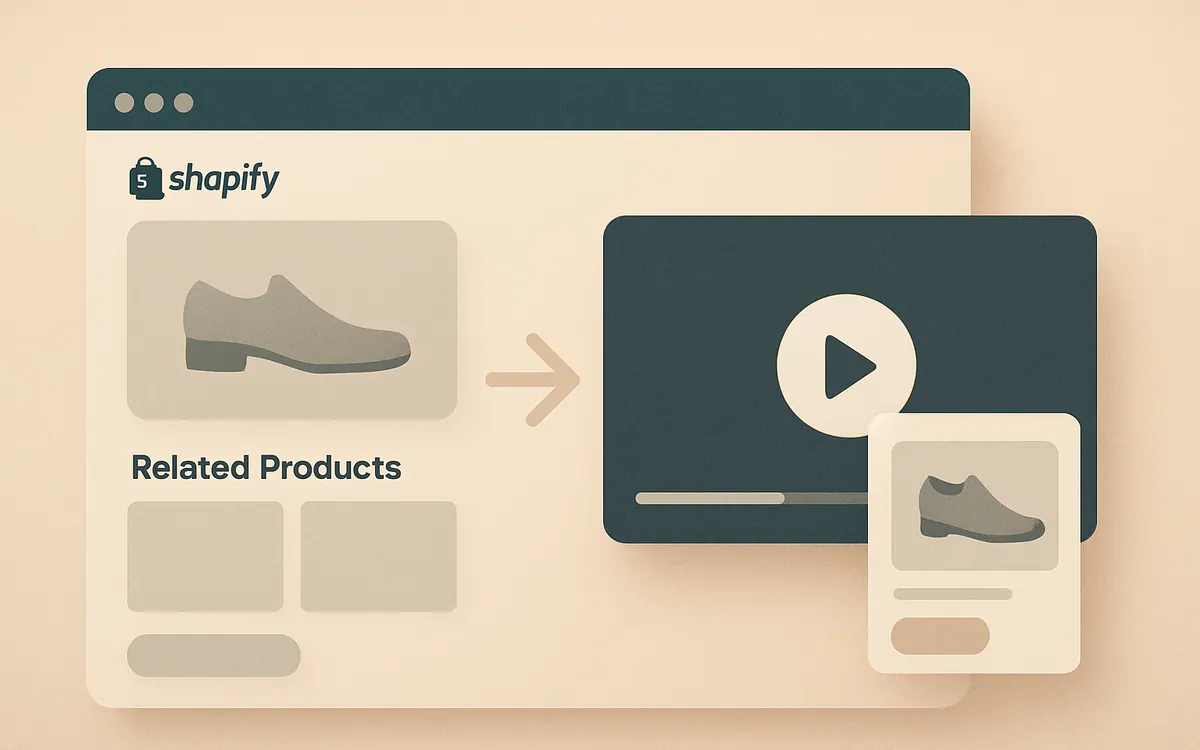
For teams comparing related products vs shoppable video Shopify placements, there is no universal winner. The practical decision depends on shopper certainty, demonstration need, catalog breadth, and journey stage. As of August 2026, the safest operating approach is to assign each format a specific job, place it where that job occurs, and compare downstream shopping behavior rather than treating clicks or video views as the final outcome.
Use four factors to choose the format
Start with the shopper's unresolved question, not the content format available to the merchandising team. Related products answer questions such as “What else is similar?” and “What goes with this?” Shoppable video answers questions such as “How does this look in use?” and “What happens after I open, wear, apply, or assemble it?”
Use the following framework for each important page template:
| Criterion | What to check | Why it matters |
|---|---|---|
| Shopper certainty | Whether visitors know the product type, use case, and key attributes | High-certainty shoppers usually need comparison; low-certainty shoppers need explanation |
| Demonstration need | Whether motion, scale, texture, fit, or setup changes the buying decision | Static recommendation cards cannot show a product performing its job |
| Catalog breadth | Number of credible substitutes and complements for the current item | Broad catalogs create more recommendation paths, while narrow catalogs need selective storytelling |
| Placement | Whether the shopper is exploring, evaluating, or expanding an order | A format that helps on a homepage can interrupt a product-page decision |
Score each factor as low, medium, or high. Choose related products when certainty and catalog breadth are high but demonstration need is low. Choose shoppable video when demonstration need is high, even if the relevant product set is small. If both qualify, give each a different placement rather than stacking both modules in the same part of the page. The product discovery simulator can also help teams think through discovery layers before changing a live theme.
When do related products fit better?
Related products fit better when the shopper understands the category and can judge the next option from a product image, title, price, and a few attributes. Common examples include another color of the same storage bin, a compatible replacement filter, a larger package size, or an accessory designed for the item being viewed.
Separate substitutes from complements. A substitute competes for the original purchase: another cut of jeans, a different lamp finish, or the same notebook in another size. A complement expands the basket: socks for the shoes, refills for the dispenser, or a case for the device. Mixing both jobs under one vague heading makes the block harder to scan.
As a starting rule, show one recommendation job per module and begin with four tightly relevant items rather than a long carousel. Review empty or illogical combinations tomorrow: out-of-stock variants, accessories that do not fit the selected model, products outside the shopper's likely price range, and near-duplicates that add no choice. Large catalogs may also need stronger query and filter discovery through Hyper Search & Filter, because no product-page recommendation block can represent hundreds of credible options.
When does shoppable video earn the placement?
Shoppable video earns space when watching the product removes uncertainty that images and recommendation cards leave behind. Beauty application, garment movement, furniture scale, tool operation, food preparation, product setup, and multi-item styling are strong candidates because the demonstration carries purchase information.
A shoppable video combines video content with a direct path to the featured product. The useful part is not motion by itself. The video should make the demonstrated item identifiable and let an interested viewer continue shopping without searching the catalog from scratch. Merchants considering this format can review Hyper Shoppable Videos after identifying which products genuinely need demonstration.
Use a simple production rule: one clip should resolve one main buying question. A 20-second clip showing how a bag sits against the body has a clearer job than a general brand montage featuring ten products. Multi-product video can work for outfit building or room sets, but every featured product must be visually distinguishable. Before publishing, watch without sound, check the mobile crop, and confirm that the linked product matches the exact color, model, or bundle shown.
Placement should follow the customer journey
Place related products and video according to the decision being made at that point in the journey. On a homepage, a short video can introduce an unfamiliar category or show a product in context. On a collection page, video can explain a shared use case, but it should not push the product grid so far down that shoppers lose access to normal browsing.
On a product page, put demonstration content near the information it clarifies. A fit clip belongs near sizing or media; an installation clip belongs near specifications or setup details. Related substitutes usually belong after the shopper has absorbed the core product proposition. Complementary items can appear later, once the primary purchase feels settled.
Cart placement favors concise complements rather than exploratory video because the shopper has moved closer to checkout. There are exceptions: a short usage clip could explain a necessary attachment, but a broad video feed risks reopening a decision the shopper already made.
Map one primary job to each placement before implementation. For example, a 120-SKU apparel store might use a homepage styling video for exploration, PDP fit clips for evaluation, four same-category alternatives below the description, and two compatible accessories in the cart. For more implementation detail, use these shoppable video placement practices rather than copying one layout across every template.
Run a controlled merchandising test
Test the formats against a defined shopping outcome, not against each other in the abstract. Video starts generate more interaction data than a static recommendation module, but a video view and a recommendation click are not equivalent. Compare shared downstream measures such as product-detail visits per exposed session, add-to-cart rate among exposed sessions, completed orders, average order value, and page performance.
Begin with one high-traffic template or a coherent product group. Keep price, promotion, inventory status, page copy, and traffic source as stable as operations allow. Define the primary measure before launch, then run the test through at least one normal purchase cycle for the category. Do not end it because the first few days look favorable. Low-volume stores may need a longer observation period or a directional merchandising decision rather than a claim of statistical certainty.
Also record format-specific diagnostics. For recommendations, inspect item click distribution and whether one slot absorbs most engagement. For video, inspect starts, meaningful viewing, product clicks, and exits after interaction. The shoppable video performance metrics guide provides a practical measurement structure. Reject a format when it creates attention without useful product exploration, slows the page unacceptably, or shifts orders toward poorly matched items that later create support or return problems.
Combining both formats requires hierarchy
Related products and shoppable video can coexist when each has a separate role and visual priority. The mistake is placing a video carousel, recommendation carousel, reviews, FAQ module, and cross-sell block directly beneath the buy box. On mobile, that turns the product page into a queue of competing widgets.
Choose one primary discovery module above the long description. If demonstration is essential, make video primary and place alternatives later. If shoppers arrive with high certainty, keep the core media and purchase controls focused, then use related products after specifications or reviews. Give complements a later position than substitutes so the page resolves the first purchase before expanding it.
Questions that block selection may need an answer rather than another product tile. In that case, evaluate Hyper AI Chat & FAQs for the support layer while keeping video and recommendations focused on discovery. Review the combined page at common mobile widths, count how many swipes separate the buy box from essential details, and remove the module with the least distinct job.
FAQ
These answers cover the implementation and platform questions that usually remain after choosing a discovery format.
How do I edit related products in Shopify?
First identify whether Shopify's Search & Discovery app, theme logic, or a third-party app supplies the related products. If Shopify Search & Discovery controls them, edit the product's recommendation assignments there; if the theme or another app controls them, use that system's settings instead. After editing, check the live product page in a private browser window and test sold-out products, variants, and mobile rendering.
Which related products should I show on Shopify?
Show either credible substitutes or compatible complements, with one job per recommendation block. Base substitutes on shared category, use case, price band, and key attributes. Base complements on genuine compatibility or a common purchase task. Do not recommend an accessory merely because it shares a tag, and exclude unavailable items or combinations that require a different model, size, or connector.
What Shopify apps are useful for product discovery?
The useful app category depends on the discovery problem: search and filters help shoppers express intent, AI chat and FAQs address product questions, and shoppable video demonstrates products in use. NiagaraT offers these distinct layers through Hyper Apps, including Hyper Search & Filter, Hyper AI Chat & FAQs, and Hyper Shoppable Videos. Evaluate each against a defined customer task instead of installing overlapping widgets.
What is a shoppable video?
A shoppable video is a video with an interactive route to one or more featured products. It lets the viewer move from seeing an item in context to viewing or selecting that item without manually searching for it. The format is most useful when the video communicates purchase information such as fit, operation, scale, application, or styling.
Is Shopify still worth using in 2026?
Shopify can still be worth using in 2026 when its operating model fits the merchant's catalog, team, sales channels, and required level of customization. The decision should account for total app and development costs, checkout and catalog requirements, staff workflow, international needs, and the cost of switching. A celebrity store or a single feature comparison is not enough evidence for a platform decision.
How do I set up related products on Shopify?
Set up related products by choosing the recommendation source, defining substitute or complementary relationships, adding the appropriate theme section, and checking the output on live product templates. Start with a small group of high-traffic products, verify compatibility and inventory behavior, and then expand. If recommendations are automated, audit them regularly rather than assuming the first output will remain commercially sensible.
Does Kim Kardashian use Shopify?
NiagaraT cannot verify from the supplied information whether Kim Kardashian uses Shopify as of August 2026. Publicly discussed platform associations can change, and a celebrity's technology stack may differ across brands, regions, or campaign sites. Merchants should choose Shopify and discovery tools based on their own workflow, catalog, economics, and customer journey rather than an unverified celebrity example.


