
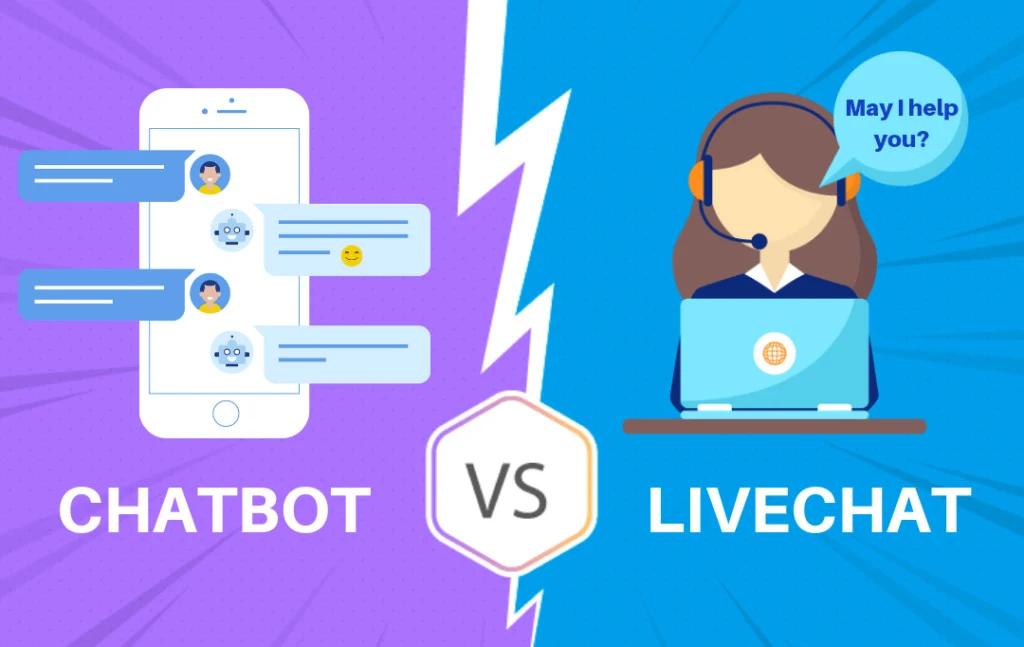
Use a Shopify chatbot for repetitive, well-documented questions that need an immediate answer.
Use live chat for complex, sensitive, unusual, or account-specific problems that require human judgment.
For most growing Shopify stores, the best answer is not chatbot or live chat. It is a hybrid system:
FAQ → AI chatbot → Human live chat → Specialist escalation
The chatbot handles questions such as:
- How long does shipping take?
- What is your return period?
- Is this product available?
- Which material is used?
- How should I care for this product?
- What is the difference between these two products?
A human handles questions such as:
- Can you make an exception to the return policy?
- My package says delivered, but I did not receive it.
- The product caused a safety issue.
- I was charged twice.
- Which product should I choose for an unusual use case?
- I want to make a large wholesale order.
The decision rule is simple:
Automate facts. Escalate judgment.
Do not pay staff to manually type the same shipping answer 200 times per month.
Do not let a chatbot make refund, safety, payment, or policy-exception decisions it is not qualified to make.
Shopify Chatbot vs Live Chat: Quick Comparison
| Factor | AI chatbot | Live chat |
|---|---|---|
| Availability | Can answer continuously | Limited by staff coverage |
| First response | Usually immediate | Depends on staffing |
| Repetitive questions | Strong | Expensive use of staff time |
| Complex questions | Limited | Strong |
| Account-specific problems | App-dependent and higher risk | Better with proper verification |
| Human judgment | Weak | Strong |
| Emotional situations | Weak | Strong |
| Answer consistency | Strong when source data is accurate | Can vary between agents |
| Setup requirement | Knowledge base and testing | Staffing, training, and schedules |
| Marginal conversation cost | Usually low | Increases with staff workload |
| Risk | Confidently incorrect answers | Slow or inconsistent responses |
| Best use | FAQs, product facts, policies | Exceptions, disputes, nuanced advice |
A chatbot wins on speed and repetition. Live chat wins on judgment and flexibility. A hybrid model wins when the store has both routine and complex conversations.
What Is a Shopify Chatbot?
A Shopify chatbot is a storefront tool that automatically responds to customer questions.
Depending on the app, it may use:
- Product information
- Product variants
- Store policies
- Shipping information
- Return information
- Frequently asked questions
- Help-center articles
- Store pages
- Uploaded documents
- Previous support content
The customer types a question in natural language, and the chatbot attempts to generate or retrieve an answer.
Examples:
Customer: Is this jacket waterproof?
Chatbot: The product is described as water-resistant rather than fully waterproof. It is designed for light rain, but not prolonged exposure to heavy rain.
Customer: Can I return a sale item?
Chatbot: Final-sale products are not eligible for return. Other discounted products can be returned within 30 days when they meet the conditions in our return policy.
The quality of the answer depends on the quality of the source information.
If the product page says "waterproof" while the FAQ says "water-resistant," the chatbot inherits the contradiction.
What Is Shopify Live Chat?
Live chat lets a customer exchange messages with a human support or sales representative through the storefront.
The agent may:
- Answer product questions
- Recommend products
- Share product links
- Explain policies
- Investigate orders
- Send approved discount codes
- Request additional information
- Escalate cases
- Resolve exceptions
Shopify Inbox allows staff to respond from desktop or mobile, send product links, discount codes, and images, assign conversations to staff members, and view relevant customer and order details.
Live chat can be immediate, but only when someone is available. A chat button does not create live support by itself.
If the store displays "Chat with us" but takes eight hours to reply, the experience is closer to messaging than real-time chat.
Set accurate availability and response expectations.
What Is Shopify Inbox?
Shopify Inbox is Shopify's native customer-messaging app.
It lets merchants:
- Offer online-store chat
- Manage conversations across staff
- Respond from desktop or mobile
- Send product links
- Send images
- Send active discount codes
- Configure availability
- Create instant answers
- Use quick replies
- Review customer and order context
Shopify currently describes Inbox as a free app. It is available to stores on the Basic, Grow, Advanced, and Shopify Plus plans.
Shopify Inbox can operate in two broad modes:
- Staff members manage customer conversations.
- An Inbox agent handles eligible conversations automatically.
The automated Inbox agent is currently in early access and is available only to certain merchants.
It can use information from:
- Product catalog
- Shipping policies
- Return policies
- Sizing information
- Knowledge Base facts and files
- Store pages
- Blog posts
- Product care guides
Do not assume every Shopify store currently has access to the automated agent.
What Are Shopify Inbox Instant Answers?
Instant answers are predetermined questions and answers displayed inside Shopify Inbox chat.
For example:
- Where is my order?
- What is your return policy?
- How long does shipping take?
- Do you ship internationally?
Shopify currently lets merchants create as many instant answers as they want and display up to 100 of them to customers.
Instant answers are not the same as a generative AI chatbot. The customer selects a known question and receives the answer written by the merchant.
Instant answers are useful when:
- The question list is small.
- Exact wording matters.
- You want complete control over every answer.
- The policies do not change frequently.
- Customers can identify the correct question.
Instant answers are weaker when:
- Customers use many different phrases.
- The store has a large product catalog.
- Questions require several follow-ups.
- Customers want comparisons or recommendations.
- The answer depends on context.
A store may use instant answers before adopting a full AI chatbot. That is often the correct first step when support volume is low.
When a Shopify Chatbot Is the Better Choice
1. You Receive the Same Questions Repeatedly
Suppose your support team receives 1,000 monthly conversations.
After reviewing them, you find:
| Question | Monthly volume |
|---|---|
| Shipping time | 220 |
| Return policy | 160 |
| Product availability | 120 |
| Sizing | 110 |
| Product care | 90 |
| Order tracking | 80 |
| Complex or unusual questions | 220 |
The first six categories represent:
220 + 160 + 120 + 110 + 90 + 80 = 780 conversations
780 ÷ 1,000 × 100 = 78%
Approximately 78% of the conversations are repetitive. A chatbot is a strong candidate for those questions.
A human team should not spend most of its time repeating facts already documented elsewhere.
2. Customers Ask Questions Outside Business Hours
A chatbot can answer documented questions when staff are unavailable.
This is useful when:
- Customers shop in several time zones.
- The store receives significant evening traffic.
- International customers visit the store.
- Weekend staffing is limited.
- Advertising runs continuously.
Shopify Inbox lets merchants set availability hours. When its Inbox agent is configured to operate only while staff are unavailable, those hours determine whether new conversations go to staff or the agent.
Do not claim "24/7 support" unless the chatbot can actually answer the questions customers ask and a human escalation path still exists.
3. Fast Answers Affect the Buying Decision
Some questions occur immediately before purchase:
- Is this compatible with my device?
- Is the item in stock?
- Will it arrive before Friday?
- Which size should I order?
- Can this product be used outdoors?
- Is the material machine washable?
A delayed answer can mean the shopper leaves. A chatbot can reduce response time when the answer already exists in approved store content.
4. Your Catalog Contains Many Products
A staff member may not remember every:
- Dimension
- Material
- Compatibility rule
- Color
- Variant
- Care instruction
A chatbot connected to accurate product data can retrieve documented facts more consistently. It should still avoid guessing when the product data is incomplete.
5. Your Support Team Needs More Capacity
Automation can free staff for:
- Missing orders
- Refund exceptions
- Product complaints
- High-value sales
- Wholesale questions
- Customer retention
- Complex troubleshooting
The goal is not necessarily to eliminate support employees. The goal is to stop using skilled people for copy-and-paste work.
When Live Chat Is the Better Choice
1. The Customer Needs an Exception
Examples:
- Return outside the normal window
- Replacement without the original packaging
- Shipping upgrade after ordering
- Partial refund
- Custom discount
- Damaged product settlement
A chatbot can explain the standard policy. A human should decide whether to make an exception.
2. The Problem Is Sensitive
Use human support for:
- Safety complaints
- Allergic reactions
- Payment disputes
- Chargebacks
- Legal threats
- Suspected fraud
- Harassment
- High-value missing orders
These conversations require judgment, empathy, documentation, and controlled decision-making.
3. The Customer Is Frustrated
A chatbot repeating the same answer can make an angry customer more frustrated.
Escalate when:
- The customer asks for a human.
- The customer repeats the question.
- The chatbot fails twice.
- The customer uses language indicating frustration.
- The issue has financial consequences.
- The standard answer does not solve the problem.
4. The Product Requires Nuanced Consultation
Some products require detailed questions before a recommendation is safe or useful.
Examples:
- Technical equipment
- Custom products
- High-value furniture
- Complex electronics
- B2B products
- Products requiring precise compatibility
- Products with safety considerations
A chatbot can collect basic requirements. A person should review unusual or high-risk recommendations.
5. The Order Value Justifies Personal Attention
Suppose the average order is $40. Spending 30 minutes on every visitor is not economically practical.
Now suppose a wholesale order is worth $8,000. A human conversation is justified.
Use live chat where the expected value of the interaction exceeds the cost of staff time.
Shopify Chatbot vs Live Chat by Question Type
| Customer question | Best first response |
|---|---|
| What is your return period? | Chatbot |
| Do you ship to my country? | Chatbot |
| What material is this product? | Chatbot |
| Is this item available? | Chatbot |
| How should I clean this? | Chatbot |
| Can I speak with a person? | Live chat |
| Can you make a return exception? | Live chat |
| My order was charged twice | Live chat |
| The product caused an injury | Live chat |
| My package is missing | Live chat |
| Which product suits a common documented use case? | Chatbot |
| Which product suits a complex unusual use case? | Live chat |
| Where can I track my order? | Chatbot or secure order tool |
| The tracking information is incorrect | Live chat |
The chatbot should be the first layer—not the final authority.
The Best Model for Most Stores: Hybrid Support
A hybrid support system sends each question to the least expensive layer capable of resolving it accurately.
Layer 1: FAQ page → Layer 2: Instant answers → Layer 3: AI chatbot → Layer 4: Human live chat → Layer 5: Specialist escalation
Layer 1: FAQ Page
Best for customers who prefer browsing.
Include:
- Shipping
- Returns
- Product care
- Payments
- Store information
- Common product questions
Layer 2: Instant Answers
Best for the most common predetermined questions.
Examples:
- Track my order
- Shipping times
- Return policy
- Contact support
Layer 3: AI Chatbot
Best for:
- Natural-language questions
- Product facts
- Product comparisons
- Policy explanations
- Product discovery
- Follow-up questions
Layer 4: Human Live Chat
Best for:
- Exceptions
- Account-specific problems
- Complex recommendations
- Emotional conversations
- High-value sales
Layer 5: Specialist Escalation
Best for:
- Payments
- Legal questions
- Safety
- Technical support
- Fraud
- Wholesale
- Management approval
Do not send every customer directly to the most expensive layer. Do not trap every customer in the cheapest one.
How to Decide Which Support Model You Need
Use four numbers:
- Monthly support conversations
- Percentage of repetitive conversations
- Average human handling time
- Cost per support hour
Example 1: Low-Volume Store
Assume:
- 60 conversations per month
- 50% repetitive
- Five minutes per conversation
- Owner handles support
Repetitive workload:
60 × 50% = 30 conversations
30 × 5 minutes = 150 minutes
150 ÷ 60 = 2.5 hours per month
A full AI platform may not be necessary. Start with:
- Clear product pages
- FAQ page
- Shopify Inbox
- Instant answers
- Quick replies
Example 2: Growing Store
Assume:
- 1,000 conversations per month
- 70% repetitive
- Five-minute average handling time
- Support labor cost of $12 per hour
Repetitive conversations:
1,000 × 70% = 700
Human time used:
700 × 5 ÷ 60 = 58.3 hours
Estimated support capacity:
58.3 × $12 = $699.60
If an AI chatbot and its monthly management cost total $150, the theoretical capacity difference is:
$699.60 - $150 = $549.60
This does not mean the store automatically saves $549.60 in cash. It means approximately that amount of staff capacity may be redirected to other work, assuming the chatbot accurately resolves all 700 conversations.
Actual performance will be lower until tested.
Example 3: High-Ticket Store
Assume:
- 250 monthly conversations
- Average order value: $1,500
- Customers often need configuration advice
- A strong chat conversation can influence a large purchase
Live chat may be economically justified even at lower conversation volume.
Use a chatbot to collect:
- Budget
- Dimensions
- Use case
- Timeline
- Product preferences
Then transfer the conversation to a sales specialist. The chatbot qualifies. The human closes.
Cost Comparison
AI Chatbot Cost
Include:
- Monthly app fee
- Usage overages
- Setup
- Knowledge-base maintenance
- Weekly conversation review
- Human escalation
- Development
- Privacy and compliance review
Formula:
Monthly chatbot cost = Software + Setup allocation + Management + Escalation
Live Chat Cost
Include:
- Agent wages
- Management
- Training
- Quality review
- Scheduling
- Weekend or evening coverage
- Helpdesk software
- Employee benefits where applicable
Formula:
Monthly live-chat cost = Handling hours × Loaded hourly cost
Cost per Resolved Conversation
For the chatbot:
Chatbot cost per resolution = Total chatbot cost ÷ Successfully automated resolutions
For live chat:
Live-chat cost per resolution = Total live-chat cost ÷ Human-resolved conversations
Compare resolutions—not raw conversations. A conversation abandoned after a wrong chatbot answer is not a resolution.
How to Measure Chatbot Performance
Track:
- Total chatbot conversations
- Correct-answer rate
- Automated resolution rate
- Unanswered question rate
- Escalation rate
- Repeat-contact rate
- Chat-assisted product clicks
- Chat-assisted purchases
- Gross profit from attributed orders
Automated Resolution Rate
Automated resolution rate = Conversations resolved without human support ÷ Total chatbot conversations × 100
Example:
Total chatbot conversations: 500
Resolved automatically: 300
300 ÷ 500 × 100 = 60%
Do not count silence as success. A conversation should be considered resolved only when there is a reasonable signal that the customer received a useful answer.
Unanswered Question Rate
Unanswered question rate = Unanswered or incorrect questions ÷ Total questions × 100
Every repeated unanswered question should trigger one of these actions:
- Add an FAQ.
- Improve a product description.
- Correct a policy.
- Add a comparison page.
- Escalate the topic automatically.
How to Measure Live-Chat Performance
Track:
- First-response time
- Average handling time
- Resolution rate
- Customer wait time
- Missed conversations
- Transfers
- Repeat contacts
- Conversion after chat
- Customer satisfaction
- Cost per resolution
First-Response Time
Average first-response time = Total time to first human reply ÷ Human-handled conversations
Do not advertise immediate support when the average response takes 45 minutes.
Human Resolution Rate
Human resolution rate = Human-resolved conversations ÷ Human-handled conversations × 100
Escalation Quality Matters More Than Escalation Volume
A chatbot with a low escalation rate is not necessarily good. It may simply refuse to escalate.
Healthy escalation means:
- Routine questions stay automated.
- Complex questions reach staff.
- Sensitive problems reach specialists.
- Customers can request a person.
- Conversation context transfers with the customer.
Bad escalation forces the customer to repeat everything.
How Shopify Inbox Supports a Hybrid Model
Shopify Inbox allows merchants to set staff availability hours and automated first replies.
When the Inbox agent is configured to handle conversations only while staff are unavailable:
- Staff handle new conversations during availability hours.
- The agent handles new conversations outside those hours.
When the agent handles all conversations and a customer asks for a person:
- Staff receive the conversation during availability hours.
- Outside availability hours, the customer receives the store's sender email address.
This is a practical hybrid model for eligible stores.
Merchants can also assign staff members to conversations. Assigned staff receive the relevant notifications, and customer profiles can display information such as location, time zone, and relevant order details.
AI-Assisted Live Chat
AI does not have to answer the customer directly. It can assist a human agent.
Shopify Inbox currently offers AI-generated suggested replies for eligible English-language stores. These suggestions help staff compose responses but do not automatically send the Inbox agent's answers.
Shopify states that merchants remain responsible for reviewing AI-generated suggested replies for accuracy before sending them.
This creates a middle option:
Customer asks question → AI drafts response → Human reviews → Human sends
Use AI-assisted live chat when:
- Accuracy matters.
- The staff still needs control.
- Agents repeatedly write similar answers.
- Full automation is not yet trusted.
How to Build the Hybrid Workflow
Step 1: Categorize the Last 100 Conversations
Label each:
- Repetitive fact
- Product recommendation
- Order-specific
- Policy exception
- Complaint
- Safety
- Payment
- Other
Step 2: Automate the Top Five Repetitive Categories
Examples:
- Shipping
- Returns
- Sizing
- Product care
- Availability
Step 3: Create Escalation Rules
Automatically escalate:
- Human requested
- Two failed answers
- Missing order
- Payment dispute
- Refund exception
- Safety issue
- High-value lead
- Wholesale request
Step 4: Set Availability
Publish:
- Support hours
- Expected response time
- Offline contact method
Shopify Inbox lets merchants configure staff availability and automatic first replies so customers know when to expect a response.
Step 5: Transfer Context
The human agent should receive:
- Conversation history
- Customer question
- Product discussed
- Relevant order number
- What the chatbot already attempted
Do not make the customer restart the conversation.
Step 6: Review Conversations Weekly
Review:
- Incorrect answers
- Unanswered questions
- Escalation failures
- Repeated human answers
- Product information gaps
- Policy contradictions
Then update the source information.
Using Hyper AI Chat and FAQs
Hyper AI Chat and FAQs combines an AI chatbot with a searchable FAQ page.
Its current Shopify App Store listing states that merchants can:
- Answer common customer questions automatically
- Build a searchable FAQ page
- Train responses with store products
- Train responses with policies and FAQs
- Review chat history
- Customize the widget
- Track support activity with analytics
The listing also categorizes the app with AI chatbot and live-chat functionality.
Current Hyper Plans
Pricing checked on July 14, 2026:
| Plan | Price | AI conversations | FAQs | Chat history |
|---|---|---|---|---|
| Free | $0 | 50 per month | 10 | 30 days |
| Starter | $19/month | 500 per month | 25 | 180 days |
| Growth | $49/month | 2,500 per month | Unlimited | 365 days |
| Pro | $99/month | 10,000 per month | Unlimited | Unlimited |
All current plans list unlimited products for AI training. Paid plans add higher analytics levels, branding options, longer history, and expanded support.
Hyper launched on May 12, 2026 and currently has no public Shopify App Store reviews.
That means the correct approach is a controlled test. Do not assume a new app is bad. Do not pretend it has a proven public track record it does not yet have.
When Hyper Is a Reasonable Fit
Consider Hyper when:
- Repetitive questions are the main constraint.
- You want chatbot and FAQ management together.
- You need product and policy training.
- You want published conversation limits.
- You will review chat history regularly.
- You are willing to test a newer app.
When Shopify Inbox May Be Enough
Start with Shopify Inbox when:
- Conversation volume is low.
- Staff handles most questions.
- Instant answers cover the common topics.
- You prefer a native Shopify tool.
- You have access to the Inbox agent.
- You do not need a separate FAQ platform.
Controlled Hyper Test
- Install the app.
- Keep the widget unpublished.
- Add the top 20 customer questions.
- Train it with accurate product and policy content.
- Test 50 questions.
- Fix wrong or incomplete answers.
- Publish it for one product category.
- Monitor conversations daily.
- Measure automated resolutions.
- Compare saved support capacity with total cost.
Storefront Installation
Chat apps commonly use theme app extensions, app blocks, or app embeds.
Shopify app blocks let merchants add app content through supported theme sections without editing theme code directly. App blocks are supported in compatible JSON templates but not in statically rendered sections.
A typical installation process is:
- Install the app.
- Duplicate the active Shopify theme.
- Open the theme editor.
- Enable the app embed or add the app block.
- Choose the widget position.
- Preview mobile and desktop layouts.
- Check for conflicts.
- Publish after testing.
Check whether the chat widget overlaps:
- Cookie banner
- Accessibility control
- Sticky add-to-cart bar
- Mobile navigation
- Another chat widget
- Promotional pop-up
Use one primary support button.
Privacy and Customer Data
A chatbot or live-chat system may process:
- Customer messages
- Email addresses
- Order numbers
- Product interests
- Chat history
- Device or behavioral information
- Account or order data
Review the app's requested permissions before installation.
Shopify lets merchants review third-party app activity and permissions in their app settings, including which store areas an app can view or edit.
Shopify also advises merchants to review Customer privacy settings and confirm that privacy disclosures accurately reflect their business operations and third-party services.
Operational rules:
- Collect only the information needed.
- Do not ask for full payment-card information.
- Limit staff access.
- Document retention periods.
- Provide a method for privacy requests.
- Review app permissions.
- Update the privacy policy.
- Follow applicable laws.
This is operational guidance, not legal advice.
Common Chatbot Mistakes
1. Automating Before Fixing Store Information
A chatbot cannot resolve contradictory policies. Clean the source content first.
2. Hiding Human Support
Customers should be able to request a person. Do not use automation as a wall.
3. Measuring Conversation Volume
More conversations may mean the chatbot is interrupting customers. Measure useful resolutions.
4. Letting the Chatbot Approve Exceptions
The chatbot should explain policies. It should not invent exceptions.
5. Running Two Chat Widgets
Multiple chat buttons create confusion and split conversation history. Choose one primary system.
6. Calling Every Abandoned Chat "Resolved"
A customer disappearing does not prove the answer worked.
7. Failing to Review Chat History
Chat history tells you what product pages, policies, and FAQs are missing. Use it.
Common Live-Chat Mistakes
1. Claiming Real-Time Support Without Staffing It
Set honest availability and response expectations.
2. Answering Every Question Manually
Turn common answers into:
- FAQs
- Instant answers
- Quick replies
- Chatbot knowledge
3. Giving Agents Too Much Discount Authority
Use approved rules and discount codes. Do not let every agent negotiate independently.
4. Failing to Assign Conversations
Unassigned conversations can be ignored or answered twice. Use staff assignment and clear ownership.
5. Measuring Speed Without Accuracy
A fast wrong answer is still wrong. Track resolution and repeat contact.
A 30-Day Decision Plan
Week 1: Measure the Current Workload
Record:
- Conversation volume
- Question categories
- First-response time
- Handling time
- Missed conversations
- Support hours
- Staff cost
Week 2: Build the First Automation Layer
Create:
- FAQ page
- Five instant answers
- Ten quick replies
- Escalation rules
Week 3: Test AI Automation
Use either:
- Shopify Inbox agent, when available
- A third-party chatbot
Test at least 50 questions.
Week 4: Compare the Economics
Calculate:
Monthly support value = Human capacity saved + Incremental gross profit - Chatbot and management cost
Then choose:
- FAQ and instant answers only
- Live chat only
- Chatbot only
- Hybrid chatbot and live chat
For most growing stores with mixed support questions, choose the hybrid model.
Which one actually reduces support tickets?
AI chatbots reduce support tickets more effectively than live chat. Here's why:
Most ecommerce support questions are repetitive:
- "Where is my order?"
- "What's your return policy?"
- "Do you ship internationally?"
A chatbot can answer these instantly—without creating a ticket. Live chat, on the other hand:
- Still requires an agent
- Still counts as a support interaction
- Doesn't reduce volume—it manages it
The key insight
Chatbots eliminate tickets. Live chat handles tickets. That's the fundamental difference.
When AI chatbots work best
AI chatbots are most effective when your store has predictable support needs.
1. High volume of repetitive questions
If your inbox is full of the same questions, a chatbot can:
- Answer instantly
- Reduce workload
- Improve response time
2. Order tracking requests
One of the biggest support drivers is:
- "Where is my order?"
A chatbot can:
- Pull order data
- Provide real-time updates
- Eliminate manual responses
3. 24/7 customer base
If you sell globally, customers expect instant answers. Chatbots provide:
- Always-on support
- No missed messages
- Consistent responses
4. Pre-purchase questions
Chatbots can:
- Recommend products
- Answer FAQs
- Reduce hesitation
This can directly improve conversions.
The real mistake ecommerce stores make
Many stores install live chat expecting fewer support tickets. But live chat doesn't reduce volume—it just shifts it.
Others install chatbots expecting instant results… Without:
- Training them
- Updating responses
- Integrating with product data
The result:
- Poor answers
- Frustrated customers
- No real improvement
Chat vs product discovery: what matters more?
Here's something most stores overlook: Customers ask questions when they can't find answers.
If your store has:
- Weak search
- Poor filters
- Confusing navigation
You'll get more support requests—no matter what tool you use. Improving product discovery often:
- Reduces questions
- Improves conversions
- Enhances user experience
Before choosing between chatbot and live chat, fix:
- Search
- Filters
- Navigation
How to choose the right setup
Use this simple framework:
Choose AI chatbot if:
- You have high support volume
- Questions are repetitive
- You need 24/7 coverage
Choose live chat if:
- You sell complex products
- You rely on trust and consultation
- You handle high-value purchases
Choose both if:
- You want to scale support efficiently
- You need automation + human touch
- You want the best overall experience
Frequently Asked Questions
Is a Shopify chatbot better than live chat? A chatbot is better for repetitive, documented questions requiring fast answers. Live chat is better for complex, sensitive, unusual, or account-specific cases.
Does Shopify include live chat? Yes. Shopify Inbox lets eligible Shopify stores add online-store chat and manage customer conversations through desktop and mobile apps.
Does Shopify have an AI chatbot? Shopify Inbox includes an automated Inbox agent in early access for certain merchants. Availability is not universal.
Is Shopify Inbox free? Shopify currently describes Inbox as a free app for stores on eligible Shopify plans.
What are Shopify Inbox instant answers? Instant answers are predefined questions and answers displayed inside the chat interface. Merchants can create unlimited instant answers and display up to 100.
Should a small Shopify store use a chatbot? A low-volume store should usually start with clear product pages, an FAQ page, Shopify Inbox, instant answers, and quick replies. Add AI automation when repetitive support volume justifies it.
When should a chatbot transfer to a human? Transfer when the customer asks for a human, the chatbot fails repeatedly, or the issue involves payments, safety, missing orders, disputes, exceptions, or unusual recommendations.
Can a chatbot answer order questions? Some chatbots can handle order-status questions, but account-specific information requires secure customer identification and appropriate data access.
Can a chatbot recommend Shopify products? Yes, when the app supports product recommendations and has accurate catalog information. Test recommendations for availability, compatibility, variants, and customer fit.
Can a chatbot approve refunds? It should not approve refunds or policy exceptions unless the merchant has intentionally created a controlled workflow with clear authorization.
How do I calculate chatbot savings? Multiply automated resolutions by the normal human cost per conversation, then subtract the chatbot, setup, management, and escalation costs.
Does live chat increase Shopify sales? Live chat can assist shoppers with buying decisions, but results depend on response time, agent quality, product fit, offer, and traffic. Measure chat-assisted conversion and gross profit rather than assuming an increase.
Can I use Shopify Inbox with another chatbot? Technically, multiple tools may be installed, but overlapping chat widgets can confuse customers and split analytics. Define one primary chat experience.
What is the best Shopify support setup? For most growing stores, use a hybrid system: FAQ and automated answers for routine questions, plus human support for exceptions and complex cases.
Is Hyper AI Chat and FAQs free? Hyper currently offers a free plan with 50 AI conversations per month, 10 FAQs, 30 days of chat history, basic analytics, and unlimited products for AI training.
Is Hyper AI Chat and FAQs established? The app launched on May 12, 2026 and currently has no public Shopify App Store reviews. Validate it through a controlled test before broad rollout.
Which is better: AI chatbot or live chat?
Neither is universally better. Chatbots reduce support volume, while live chat improves handling of complex interactions.
Do AI chatbots reduce support tickets?
Yes. They can eliminate repetitive questions by answering them instantly without human involvement.
Is live chat still necessary?
Yes, especially for complex, high-value, or sensitive customer interactions.
Can I use both chatbot and live chat?
Yes, and most ecommerce stores benefit from combining both for efficiency and customer satisfaction.
Do chatbots improve conversions?
They can, especially by reducing friction and answering questions quickly during the buying process.
What reduces support tickets the most?
Automation (chatbots) combined with better product discovery—like improved search and filters—has the biggest impact.
Final Recommendation
Use live chat only when the conversation requires a human.
Use a chatbot when the answer already exists and can be delivered safely.
Use both when your store has enough volume to justify automation but still receives cases requiring judgment.
The correct support flow is:
Simple and documented → Automate
Complex or sensitive → Escalate
Do not optimize for the lowest escalation rate. Optimize for the lowest total cost of producing an accurate resolution and a good customer outcome.
Explore Hyper AI Chat and FAQs on the Shopify App Store.
Sources
- Shopify Help Center: Managing Customer Conversations in Shopify Inbox
- Shopify Help Center: Shopify Inbox
- Shopify Help Center: Set Up Instant Answers for Shopify Inbox
- Shopify Help Center: Shopify Inbox Availability and Automated First Replies
- Shopify Help Center: Managing Customer Conversations
- Shopify Help Center: AI-Generated Suggested Replies in Shopify Inbox
- Hyper AI Chat and FAQs on the Shopify App Store
- Shopify Developer Documentation: App Blocks for Themes
- Shopify Help Center: Managing Apps
- Shopify Help Center: Configuring Customer Privacy Settings
AI chat and FAQ app comparisons
If you have settled on AI-assisted support, these compare the specific tools:
- Gorgias — a helpdesk-first approach.
- Recombee — recommendation-led rather than support-led.
- Chatty AI alternatives — the closest options if Chatty is not a fit.
- Asklo AI — answer quality and setup effort compared.
- StoreFAQ — the 2026 comparison.


